
Bottango Control Boards
Powering Servos
Don’t Power Servos from Your Microcontroller!
Section titled “Don’t Power Servos from Your Microcontroller!”When you’re just starting out, you may be tempted to power your servos directly off the Arduino itself, connected to your computer. Unfortunately, that approach is doomed to failure.
As soon as a servo draws more than even a small amount of current, your laptop is going to shut down that USB port at best, or get damaged at worst.
What’s more, a microcontroller like an Arduino Uno is rated to a small amount of current on its pins, and even a single small servo can draw more than what is safe for the hardware, and a large servo can easily draw much more. When your servo draws too much power, your Arduino will shut down, since it’s sharing power with the servo, and may be damaged, overheat, or worse.
An Arduino is just not meant to or designed to power motors like servos. It’s really only meant to create the signal that controls those servos. If you’re providing the power for your servos through a pin on your Arduino, you’ll need a better plan.
First and foremost, you want to build SAFELY!
The following are just some options you can consider, including parts made by Bottango or other companies. You can also build your own circuit out of standard electric circuit building parts.
Bottango Control Boards
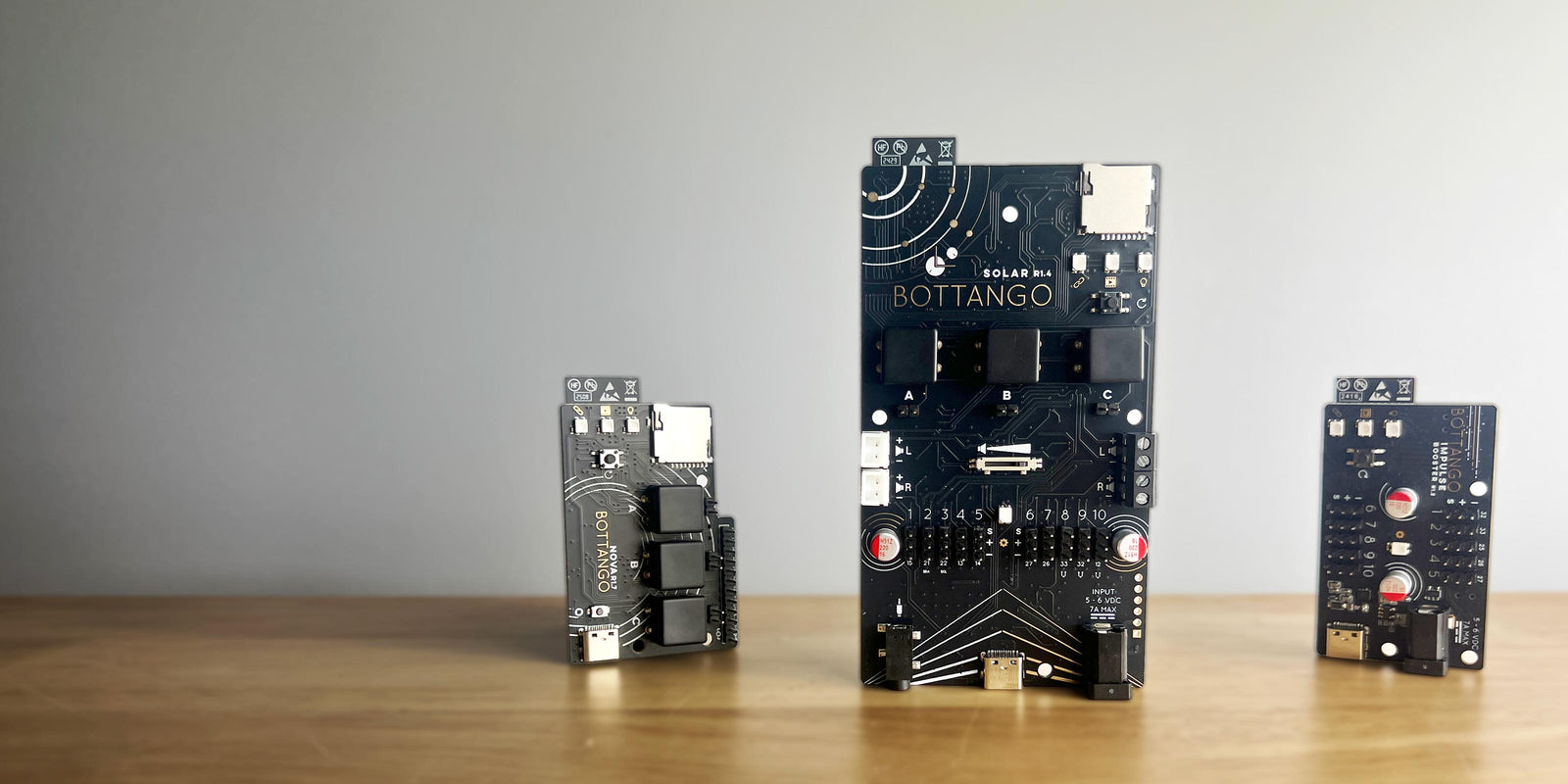
Section titled “Bottango Control Boards”Bottango offers a line of ready-to-go control boards, based on the powerful ESP32 microcontroller. Each board fills a different role in the lineup, but Bottango Impulse and Bottango Solar both have 10 servo headers and an integrated servo power circuit amongst other powerful animatronic features.
Bottango Servo Shield
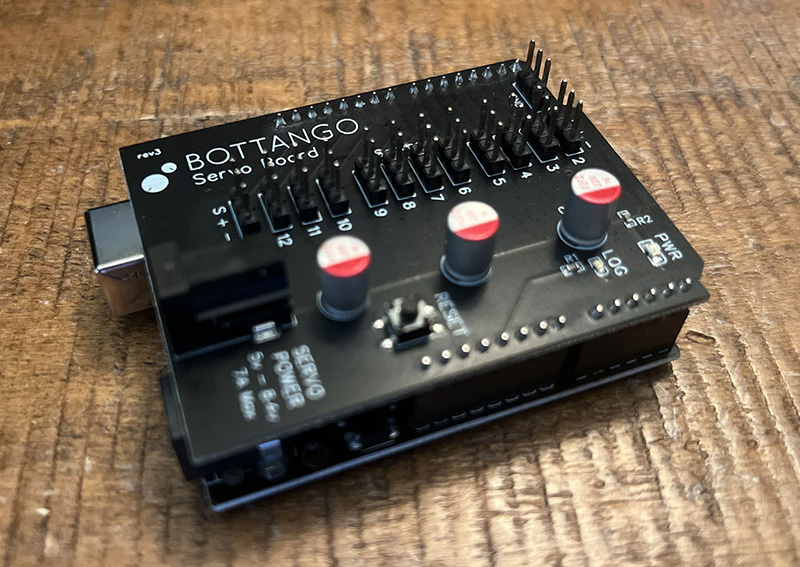
Section titled “Bottango Servo Shield”If you want to use an Arduino Uno R3 or Arduino Mega, and have an “out of the box” ready to go power circuit for servos, Bottango makes a Servo Shield for exactly that:
Bottango Servo Shield
Shop: https://www.bottango.com/products/bottango-servo-shield
Bottango’s Servo shield is rated to 7A servo power distribution.
See this page for more details on using the Bottango Servo Shield, power supply selection, number of servos limitations, etc.
Some Other Purchasable Options
Section titled “Some Other Purchasable Options”The below are not offered as endorsements or recommendations, just listing some additional options on the market. Bottango has no association with these companies or their products.
Servo City Power Supply Board
Shop: https://www.servocity.com/8-channel-servo-power-node/
Servo City has international distribution. With Servo City’s option, take note of the XT30 power input connector.
Adafruit PCA9685 Servo Driver
Shop: https://www.adafruit.com/product/815
Adafruit’s servo driver requires some light, soldering to assemble.
Though there are lots of clones of this board on the market, be aware that some clones have a low current rated reverse polarity protection mosfet that has been reported to be possible to overheat and burn out with just a few servos.
There are setup steps and limitations to be aware of when using a PCA9685 + Arduino Uno R3 + Bottango. See this FAQ for more details.
Power Supply Selection
Section titled “Power Supply Selection”With all three products above you’ll need to bring your own power supply. The details of which will depend on:
- What power input jack is on the board (both connector type and polarity)?
- What voltage do your servos require?
- What maximum current will you be drawing during operation of your robot?
Build Your Own Circuit
Section titled “Build Your Own Circuit”It’s certainly possible to build your own safe power circuit for servos. You’ll find advice online of all types on how to build a safe servo power circuit yourself using comodity parts you can find on Amazon, etc. These guides vary in quality from terrible ideas to smart plans. You’ll need to evaluate your own ability to execute, and to evaluate the safety of someone’s plan based on the requirements of your build.
If you want to learn robotics, investing the time to learn the fundamentals of electronics and safe circuit building will be a strong foundation for continuing your robotics journey.
Repeat Rather Than Push the Limits
Section titled “Repeat Rather Than Push the Limits”One final hint, if you find that you can now reliably power a handful of servos, and want to power more, a quick solve isn’t to change your power solution to now handle lots more servos. Instead, duplicate your setup for a handful of servos and have two of them! The difficulty ramp of safely powering more and more servos on one single circuit is ever increasing, so if you’ve got something that works for you, consider copy and paste!