
Expert Topic for experienced builders.
Standalone show control is the combination of two existing firmware features:
The peers use the same relay configuration whether commands originate from the desktop app or from exported animation data on the bridge. They do not need their own copies of the complete show.
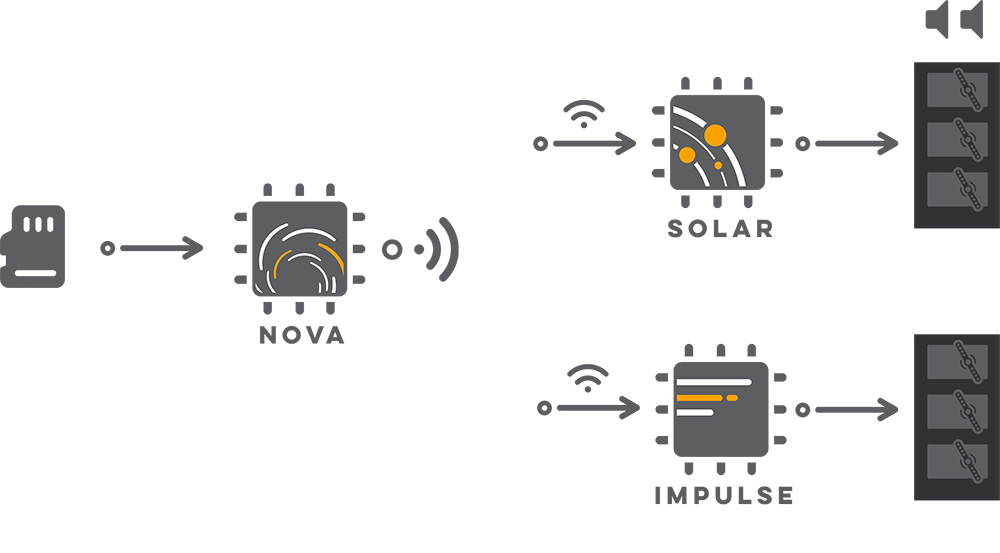
Set up the bridge and peer relationships in the desktop app before exporting. The export process uses those relationships to place the animation data for the full relay network on the bridge.
Follow the standard Exporting Animations workflow and select the animations, drivers, and effectors needed by the show.
Confirm that the export view shows the expected bridge and peer relationship.
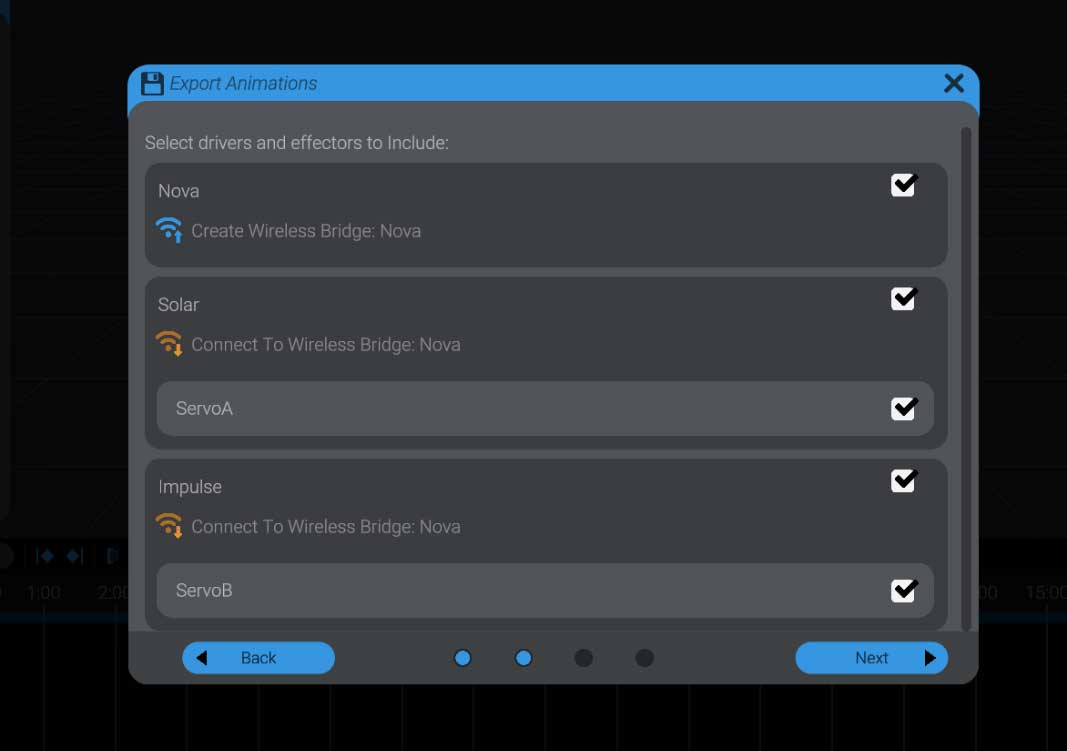
Export the files for the bridge. Its export will also contain the animation commands for its peers.
Add the exported files to the bridge using the firmware-code or SD-card playback workflow you selected.
You do not need to place a separate copy of the complete show on each peer. The bridge reads the show data and sends the appropriate commands over the relay network.
When ENABLE_DYNAMIC_ANIMATION_SOURCE_SWITCH is enabled in BottangoArduinoModules.h, the desktop app can switch a compatible bridge from Live Computer Control to Play Exported Animations:
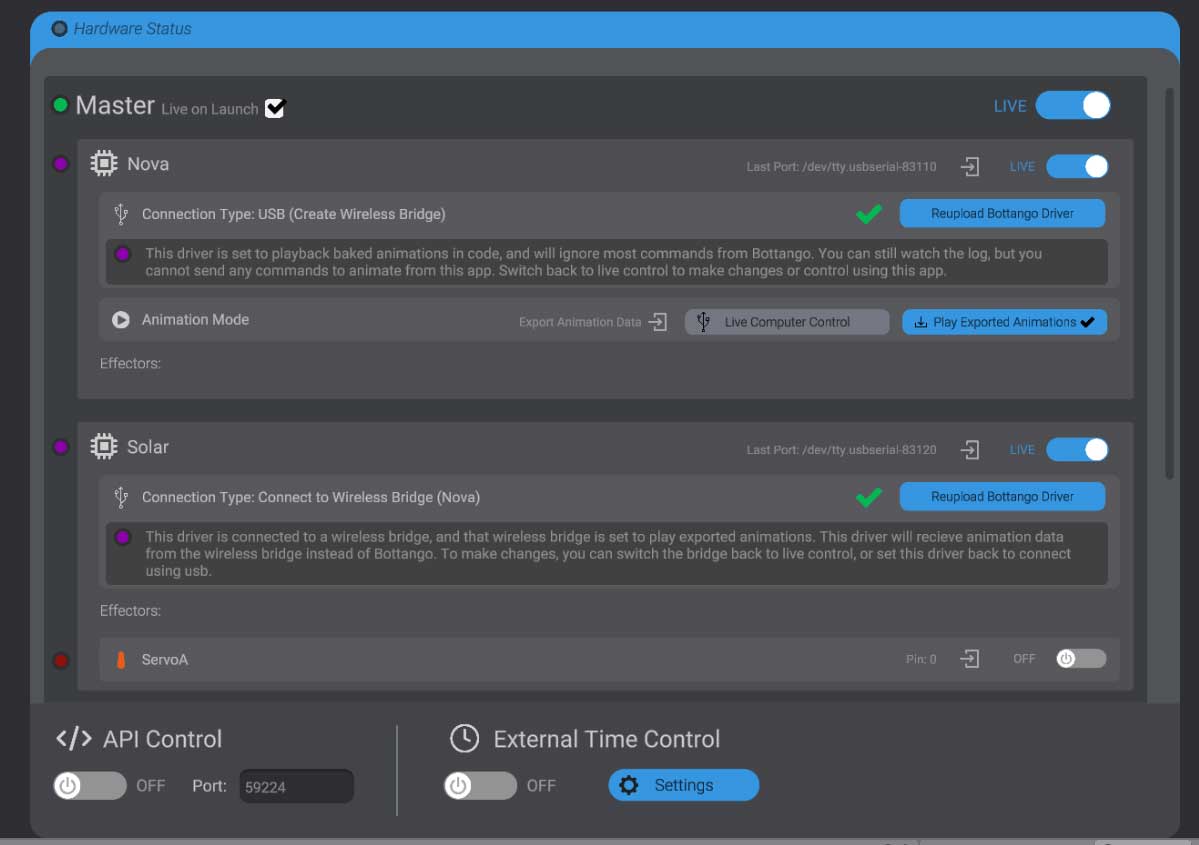
Without ENABLE_DYNAMIC_ANIMATION_SOURCE_SWITCH, enable the exported animation playback module in the firmware as described in Enabling Exported Animation Playback, then compile and upload the firmware to the bridge.
Only the bridge changes command source. The peers remain configured as relay peers and continue receiving commands from the bridge.
Playback triggers and centralized show-control logic also run on the bridge. This includes generated trigger behavior as well as custom logic added through the exported playback callbacks.
Use the same control in the desktop app to switch the bridge back to Live Computer Control. The bridge will return to relaying commands from the computer instead of reading exported animations.