
Assemble and Attach Pro Back Brace and Speakers
In this step, we’ll attach the speakers to the new back brace, and then attach it back onto your animatronic
We’re going to re-use the flat metal head bolts and washers you removed in the previous step. Missing a few? There’s a couple spares in your upgrade kit.
Parts Needed:
- Pro back brace
- Speakers (both)
- M5 flat head bolts
- M5 nuts
- M3 flat head bolts (from previous step)
- M3 washers (from previous step)
- Washer mounting stickers
Attach the First Speaker
Grab the two speakers, the pro back brace, and the M5 flat head nuts and bolts.
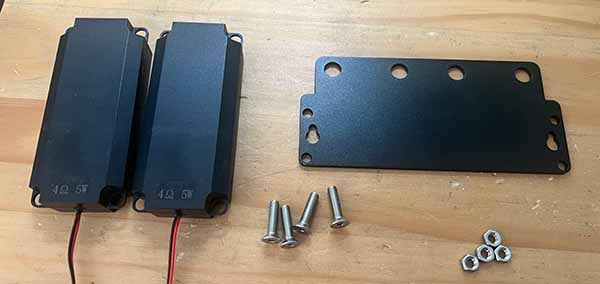
Attach the first speaker to the back brace, top side only of the speaker. It doesn’t matter which speaker goes on which side.
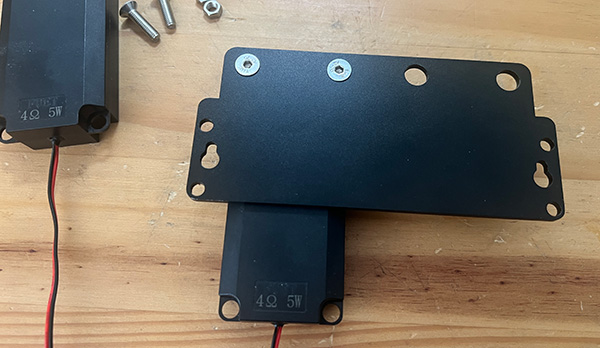
Make sure the speaker is attached in the direction shown here. The speaker should be:
- Wire pointing down
- Facing out, away from the back brace plate
Tip for getting the bolts on. Loosely attach both to the bolts to the nuts in the speaker holes and back brace holes, then take turns tightening both so that it stays level.
Do not over tighten!You just want it attached enough that it won’t fall off on it’s own, it is not load bearing.
Attach the Second Speaker
Repeat the process for the second speaker.
Because you didn’t over tighten, you can adjust the angle of the speakers a little as needed, to ensure that they are both pointing straight down once mounted.
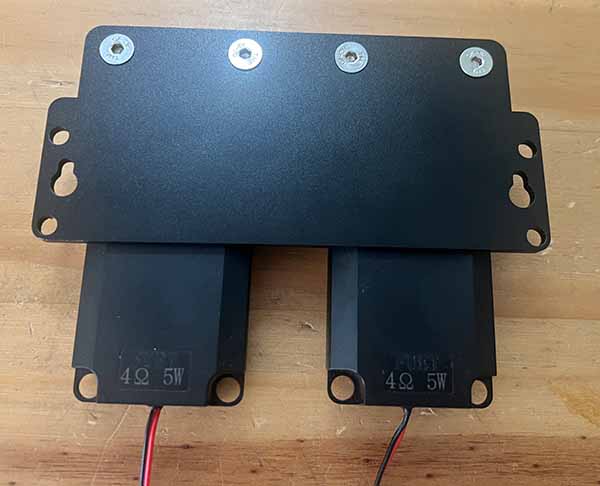
Prep the Washers on the Back Brace
Flip the pro back brace over so the speakers are now facing up, then use the washer mounting stickers to hold in place four washers (saved from the previous step), one on each of the 4 mounting holes. Your stickers may be brown or black.
It’s usually easier to put the sticker on the washer first, then put it in place and press the rest of the sticker down. We don’t need perfect alignment here, this is just to make it easer to move the back brace back into place with washers in the right spot.
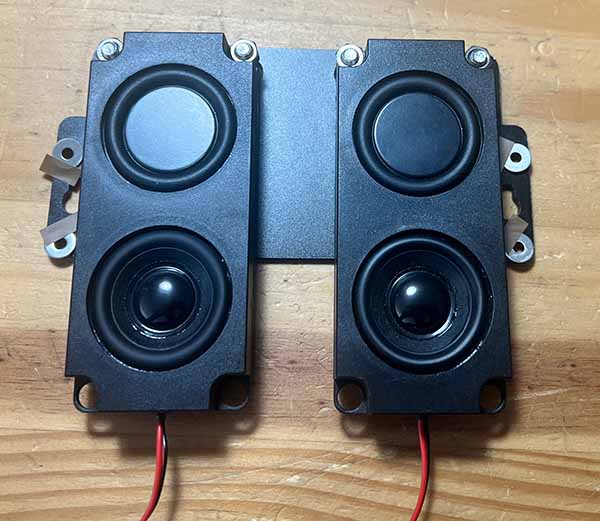
Attach the New Back Brace
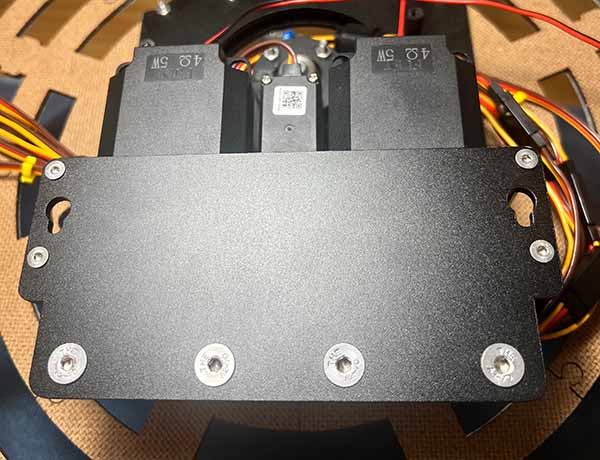
Go back to your animatronic, and mount the new back brace in the place where the standard edition version was. The speakers will have a gap in the center where the number 1 servo will fit.
Use the four small flat head metal bolts we saved from the previous step.
This is the hardest part of the pro upgrade process. Smooth sailing after this. Some tips:
- Loosely attach each bolt by hand, before tightening down, just enough to get the bolts through the washers and into the standoffs.
- Washer fall off? If its just one, you can probably slip it back in by hand and get it in place without starting over
- Because we left the speakers not over tightened, you can angle them a bit if needed to get the servo fitting in the gap between them.
Next Up
Next up we’ll route cables, attach the new Bottango Solar board, and get everything hooked up!